BACKUP & RECOVERY FOR HPE MORPHEUS VM ESSENTIALS
Backup & Recovery for HPE Morpheus VM Essentials
Protect HPE Morpheus workloads with native cloud management integration and recovery you can trust.
Free, full functionality for 30 days


BENEFITS
Built for faster recovery
Moving to or operating HPE Morpheus shouldn't mean choosing between speed and protection. Veeam integrates natively with HPE Morpheus with full VM, file-level, and application-consistent backup and restores, giving you the protection you depend on.
More restore points, less impact
Back up only what changed since the last run, meaning jobs finish faster and can run more often, with minimal impact on production VMs
Recover or move with confidence
Restore full VMs directly into HPE Morpheus VM Essentials, whether you're recovering from an outage or moving workloads from another platform.
Recover just what you need
Restore individual files without recovering the whole VM, letting users get back to work faster.
Capabilities
Control Migration, Cost, and Protection With Veeam
Veeam for HPE Morpheus VM Essentials secures, recovers, and simplifies every workload.
Cost-Optimized Virtualization
Reduce lock-in with flexible hypervisor support and efficient use of compute and storage, scaling without overbuilding.
Unified Management Across Environments
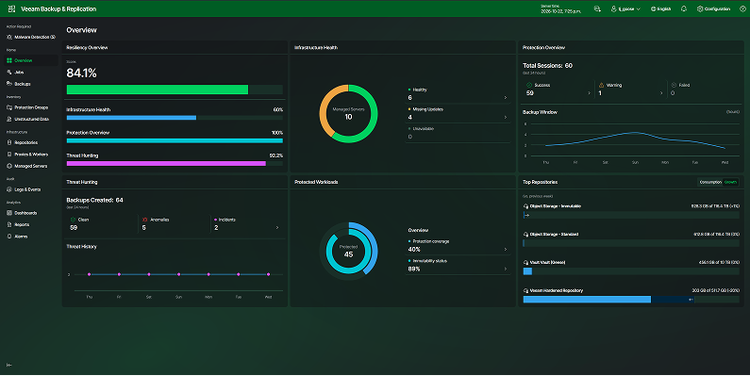
Manage protection and recovery across locations and workload types from one console, with policies that stay consistent as your environment changes.
Integrated for HPE Morpheus VM Essentials
The Veeam plug-in talks directly to HPE Morpheus VM Essentials, running agentless and application-consistent backups without extra infrastructure to deploy.
Simplified Migration and Operations
Transition your hypervisors with automated VM migration and streamlined workflows, cutting manual steps and day-to-day overhead.
Multi-layered Threat Detection
Trust what you restore. Inline scanning runs during backup, and YARA, third-party AV, or IoC checks confirm it’s clean afterward.
Restore Beyond HPE Morpheus
Restore a VM straight to AWS, Microsoft Azure, or Google Cloud, or onto another supported hypervisor, allowing data portability to where needed.
Automated Recovery Verification
Health checks verify restore points on the cadence you set, catching corruption from storage issues, bit rot, or hardware faults before it becomes a problem. No isolated lab to build or maintain.
Application Item Recovery
Pull a single database table, mailbox item, or Active Directory object out of a VM-level backup with Veeam Explorers, without restoring and mounting the whole VM first.
Veeam Software Appliance
Deploy backup on a pre-hardened, pre-configured Linux appliance with built-in multi-factor authentication and immutable storage, secure from the first login.
VEEAM SOFTWARE APPLIANCE
Your Fastest Path to Veeam Data Platform
Smooth deployment, secure from day one, managed from anywhere
Platform Editions
True Data Resilience
Available in three comprehensive enterprise-grade editions — our most powerful premium option delivers the complete, secure protection and best-in-class orchestration that can only be achieved with Veeam Data Platform.
CLOUD STORAGE
Veeam Data Platform + Veeam Vault
Secure backups & secure cloud storage in one integrated solution
- Data secured
- Operations simplified
- Costs controlled
Next Steps
Trust starts with your data