- Veeam Support Knowledge Base
- Veeam Cloud Connect - Compiling Provider/Tenant Logs for Support Cases
Veeam Cloud Connect - Compiling Provider/Tenant Logs for Support Cases
| KB ID: | 2096 |
| Product: |
Veeam Backup & Replication Veeam Cloud Connect |
| Published: | 2016-02-09 |
| Last Modified: | 2024-06-03 |
| Languages: | JP |

Cheers for trusting us with the spot in your mailbox!
Now you’re less likely to miss what’s been brewing in our knowledge base with this weekly digest

Oops! Something went wrong.
Please, try again later.
Purpose
Solution
Infrastructure Information
Include the following information:
- Provider Name
- Tenant Name
- Job Type that is having issues
- Job Name that is having problems
- Tenant Public IP
*Please document the public IP of the Tenant Veeam Server connected to the cloud gateway. Having this information will help identify the connection in the Cloud Gateway logs. You can identify this by using a utility such as http://www.whatsmyip.org/
Logs From Tenant's Environment
To ensure that the most relevant logs are present in the latest logs. Reproduce the error (if applicable), and then collect the tenant's Veeam Backup & Replication logs.
Collecting Logs from Tenant Environment
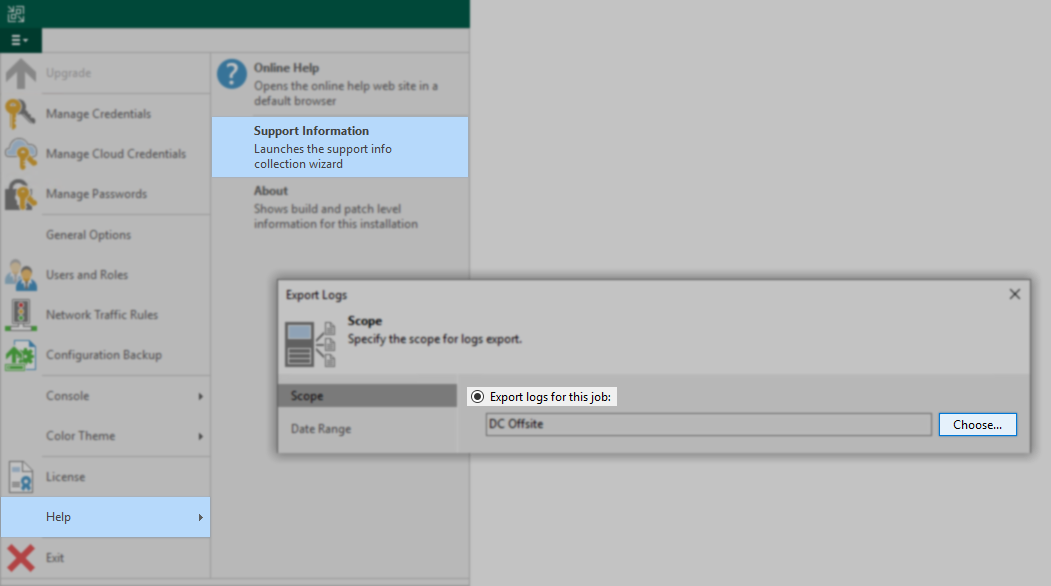
- For failing jobs:
Export logs for the job (backup, backup copy, or replication) that is having an issue.
- For restores and replica failovers:
Export a log bundle for the backup or replication job (as above) and manually collect logs from the following directories on the tenant's Veeam Backup server. (%ProgramData%\Veeam\Backup\)- Entire "CloudConnect" directory (if it exists)
- Entire directory with the name of the VM that was restored or replicated
Logs from Service Provider's Environment
After reproducing the error (if applicable), collect and submit provider-side logs for the job using the instructions below.
Log Collection Scopes
- Tenant-specific Log Collection — Used for collecting logs specific to a single tenant.
- System-Wide Log Collection — For issues impacting service provider components or multiple tenants.
Tenant-Specific Log Collection
New feature starting in Veeam Cloud Connect 12.1.
For issues involving a single tenant, the Export-VBRLogs PowerShell cmdlet can be used to export logs for a specific tenant.
Consider the following example script:
#Adjustable Parameters
$TenantName = "Tenant"
$DaysPast = 7
$ExportFolder = "C:\Temp\"

#Collect Logs Using the Provided Parameters
Export-VBRLogs -Tenant (Get-VBRCloudTenant -Name $TenantName) -FolderPath $ExportFolder -LastDays $DaysPast -CompressSystem-Wide Log Collection
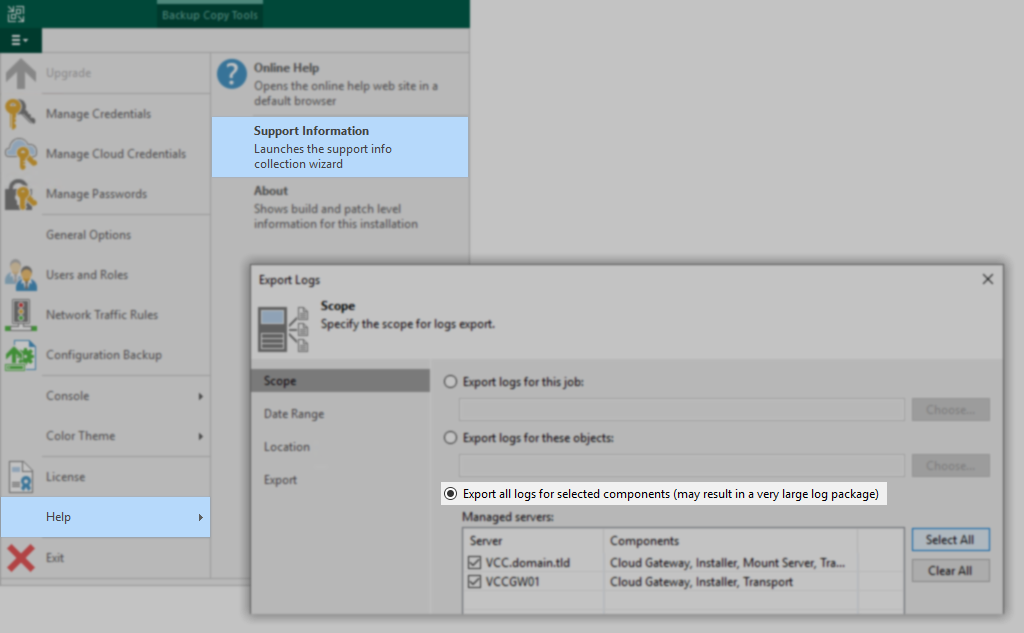
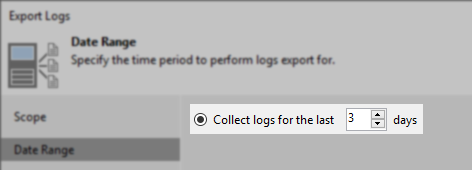
Option 1: Use Built-In Wizard Driven Log Generator
For providers with newly configured infrastructure or a few tenants, use the built-in log generator tool to gather logs from all managed servers related to the issue. Collecting logs from cloud gateways, repositories, and other relevant infrastructure in addition to the backup server is crucial.
Option 2: Manual Log Collection
Providers with many tenants can use the built-in log collection tool but may find it produces a large (multi-GB) log bundle. As an alternate option, Providers may choose to manually collect logs using the following information:
Tip: It's best to save the collected information in a .zip file with an identifiable name, such as "<tenant_name>-ProviderLogs.zip"
Some listed files may not be present if they do not apply to your issue, but ensure you look at the correct server for each directory or filename. Some files will have several rotations, and the oldest files will be archived as .zip or .gz.
On Veeam Cloud Connect Server:
- Collect these files in the root of %ProgramData%\Veeam\Backup\
- Svc.VeeamBackup* (filenames beginning with "Svc.VeeamBackup")
- Zip files named "<date stamp>_Svc.VeeamBackup"
- CloudAppliance*
- RTS.ResourcesUsage.log
- In rare cases, other files in this directory may be relevant, so including anything with a recent modification date is prudent.
- Collect the contents of these folders :
- %ProgramData%\Veeam\Backup\Console\
(if using a remote console, collect from that machine as well) - %ProgramData%\Veeam\Backup\CloudConnect\
- %ProgramData%\Veeam\Backup\CloudConnectService\<tenant_name>\
- %ProgramData%\Veeam\Backup\CloudConnectService\
(excluding subfolders for other tenants) - %programdata%\veeam\backup\Utils
- %programdata%\veeam\backup\ResourceScan
- %programdata%\veeam\backup\RegistryOptions
- %ProgramData%\Veeam\Backup\Console\
On Cloud Gateway Servers :
- Collect files matching this nomenclature:
- %ProgramData%\Veeam\Backup\Svc.VeeamGateSvc*
WAN Accelerator (if applicable):
- Collect files matching this nomenclature:
- %ProgramData%\Veeam\Backup\Svc.VeeamWANSvc*.log
Repository Servers (for backup and backup copy jobs) :
Check which server is listed as the Host for the Repository in the console (Backup Infrastructure > Backup Repositories).
- Windows Repository
Collect the entire content of these folders:- %ProgramData%\Veeam\Backup\CloudConnectService\<tenant_name>\
- %ProgramData%\Veeam\Backup\CloudConnectService\ (excluding subfolders for other tenants)
- Linux Repository
Collect the entire content of these folders:- /var/log/VeeamBackup/CloudConnectService_<tenant_name>_* (may be multiple directories)
- /var/log/VeeamBackup/CloudConnectService_<tenant_name>_* (may be multiple directories)
Note: Logs from Network Extension Appliances are automatically copied to their controlling Veeam Backup & Replication server, so in most cases, it is not necessary to gather logging from these appliances manually.
More information
Related Articles
- How to Collect Logs for Veeam Backup & Replication
- How to Collect Logs for Veeam Backup Enterprise Manager
- How to Locate and Collect VSS/VIX Log Files From Guest OS
- How to Collect Logs for Cases Involving Oracle
- Granular Log Collection Guide for SOBR Capacity/Archive Tier Issues
- How to Collect Logs for Veeam ONE
- How to Collect Logs for Veeam Management Pack for Microsoft System Center
- How to Collect Logs for Veeam Agent for Microsoft Windows
- How to Collect Logs for Veeam Plug-in for Microsoft SQL Server
- How to Collect Logs for Veeam Plug-in for SAP HANA
- How to Collect Logs for Veeam Plug-in for Oracle RMAN
- How to Collect Logs for Veeam Plug-in for IBM Db2
- Veeam Cloud Connect - Compiling Provider/Tenant Logs for Support Cases
- Veeam Service Provider Console – Compile and Upload Server Logs
- Veeam Service Provider Console – Compile and Upload Management Agent Logs
If this KB article did not resolve your issue or you need further assistance with Veeam software, please create a Veeam Support Case.
To submit feedback regarding this article, please click this link: Send Article Feedback
To report a typo on this page, highlight the typo with your mouse and press CTRL + Enter.
